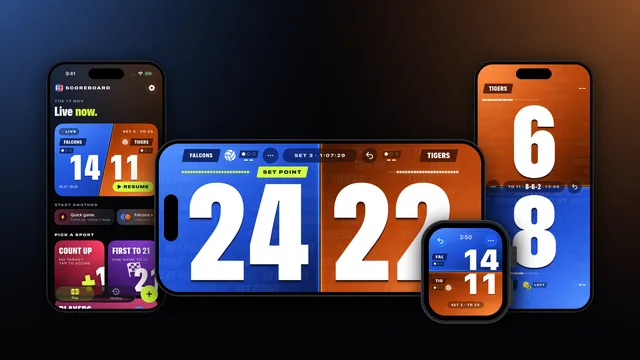
 Scoreboard
The rules in plain words
- Points in a game: 0, 15, 30, 40. At 40-40 it is deuce. A side needs to win 2 points in a row from deuce, through advantage, to take the game.
- Golden point: an option for deuce. At 40-40 the next point wins the game, with no advantage.
- Sets: first to 6 games, win by 2. At 6-6 there is a tiebreak: first to 7 points, win by 2. You can also play sets to 4 games, with the tiebreak at 4-4.
- Matches: best of 3 sets by default (1 or 5 are in setup).
- Deciding set: you choose. Tiebreak (the normal tiebreak), Tiebreak to 10 (first to 10 at 6-6), Play on (no tiebreak, keep going until a side is 2 games ahead), or Match tiebreak (the whole deciding set is one tiebreak to 10).
- Serve: one side serves a whole game, then the other. In a tiebreak the first server serves 1 point, then each side serves 2.
- Ends: the sides change ends after odd games, and every 6 points in a tiebreak.
- Timeouts: none.
Set it up
| Option | Choices |
|---|---|
| Best of | 1, 3 or 5 sets |
| At deuce | Advantage or Golden point |
| Sets to | 6 games or 4 games |
| Deciding set | Tiebreak, Tiebreak to 10, Play on or Match tiebreak |
| First serve | Pick a team, or tap TOSS |
Score it in the app
- On Home tap Tennis. Choose the number of sets, how deuce works and the deciding set, then pick who serves first and tap START.
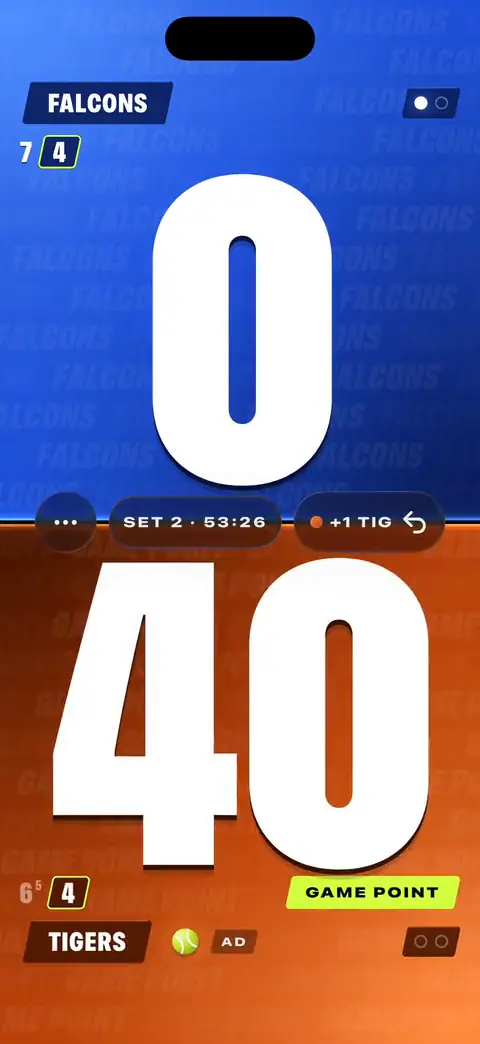
- Tap the side that won each point. The big figures show 0, 15, 30, 40 and AD. The score bug shows the call, like 30-15, DEUCE, AD IN or AD OUT.
- The app follows the serve for you. One side serves a whole game, each game starts from the deuce court, and tiebreaks go 1-2-2.
- The board calls DEUCE, ADVANTAGE, GAME POINT, BREAK POINT, SET POINT and MATCH POINT.
- At 6-6 (or 4-4) the board announces the tiebreak. Between sets a card shows the set score, and you tap START SET 2 (or 3, and so on) to carry on. Before a deciding set a TOSS button sits beside START.
Good to know
- Fix a mistake: pull down on a side to take one point off, or tap Undo on the control strip. Press and hold Undo to see your last 12 actions and jump back to any of them.
- Swap sides: Menu, then Swap. The board also swaps the sides for you when the rules say the ends change.
See how tennis looks on the board: Tennis in Scoreboard Live.
Needs the unlock
This is part of Scoreboard Unlock: one purchase, $3.99 once in the US (your local price elsewhere), that opens every sport, 2 to 8 players, Apple Watch scoring, team names and colours and your full history. No subscription, and Family Sharing is included. See what the unlock includes.