 Scoreboard
The rules in plain words
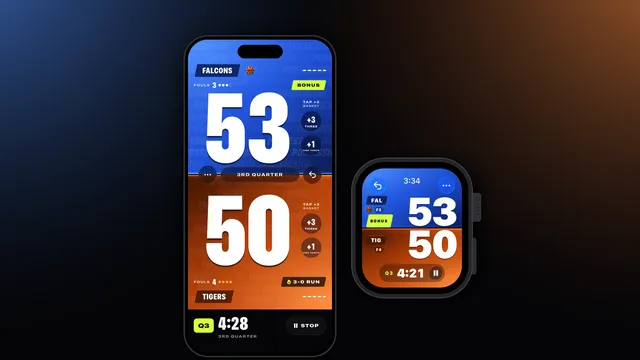
- Scoring: every goal is 1 point. A tap on a side scores a goal.
- The game: 2 halves of 20 minutes. The clock counts down, and you stop and start it as play stops and restarts.
- Team fouls: the board counts each side's fouls in a half. From the 6th foul the other side is in the bonus, and the board shows BONUS. The count starts again in the second half.
- Timeouts: 1 per side per half.
- Penalties: off by default. Switch PENALTIES on and a level game goes to a penalty shootout.
Set it up
| Option | Choices |
|---|---|
| Halves | 1 to 4 (2 by default) |
| Minutes each | 1 to 90 (20 by default, counts down) |
| Overtime | On or Off (off by default; on is one 5 minute period) |
| Penalties | On or Off |
| Timeouts a side | 0 to 9 (1 by default) |
Score it in the app
- On Home scroll down to MORE SPORTS and tap Futsal. Check the setup and tap START.
- Tap START on the pad under the scores to run the clock. STOP pauses it. The clock keeps its time if you leave the app.
- Tap the side that scored. Hold a side and tap FOUL to count a team foul, or -FOUL to take one back.
- For a timeout, hold the side and tap TIMEOUT. A 30 second countdown shows on the board.
- The clock counts down. At 0:00 the period ends by itself and a break card shows the periods so far.
- On the break card tap the volt button (START H2 and so on). The next period starts and its clock runs at once.
- If the clock is wrong, tap it to open SET CLOCK. Nudge it by a minute, ten seconds or one second, then tap SET.
- At the end the board shows the winner, or a draw where the sport allows one. The game is saved with its score for every period.
Good to know
- A score you add during a break counts for the period that just ended.
- Tap the score bug to open the line score, with the points in each period.
- Fix a mistake: pull down on a side to take one point off, or tap Undo on the control strip. Press and hold Undo to see your last 12 actions and jump back to any of them.
- The app has no sound. When a clock reaches the end of a period it ends it by itself, with a haptic tap, and the board shows the break.
Needs the unlock
This is part of Scoreboard Unlock: one purchase, $3.99 once in the US (your local price elsewhere), that opens every sport, 2 to 8 players, Apple Watch scoring, team names and colours and your full history. No subscription, and Family Sharing is included. See what the unlock includes.