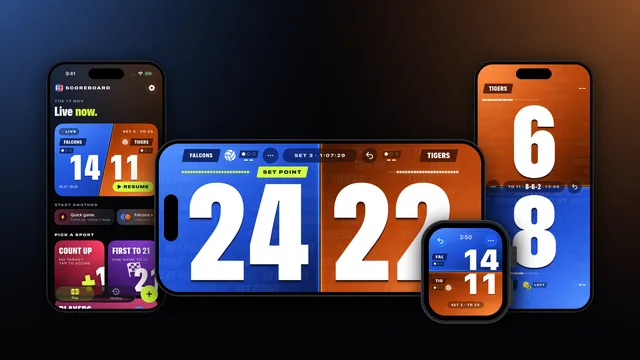
 Scoreboard
Before you start
- The watch app comes with the iPhone app. Once it is on your watch it scores its own games.
- Scoring on the watch needs the unlock. Buy it on the iPhone and the watch picks it up. Until then the watch shows UNLOCK ON IPHONE, with a CHECK AGAIN button.
- The app needs watchOS 26 or later.
Score a game
- On the watch, open Scoreboard. Turn the Digital Crown to move through the sports. The first page is your live game, or your last result with Rematch.
- Stop on a sport and tap START. It plays that sport's last setup from your iPhone, or its default. You set up teams and formats on the iPhone.
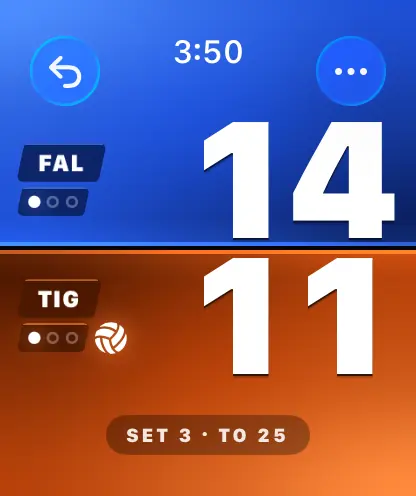
- Tap a half of the screen to give that side a point. You feel a haptic: up for the first half, down for the second.
- Hold a half to open its options: -1, a timeout, SERVE HERE (or BALL HERE) and, in the clock sports, the other scores and team fouls. Holding never changes the score by itself.
- Undo and Menu are in the toolbar. The Menu has Swap sides, Serve, Timeout, Sun mode, Finish now, Reset, Discard and Home.
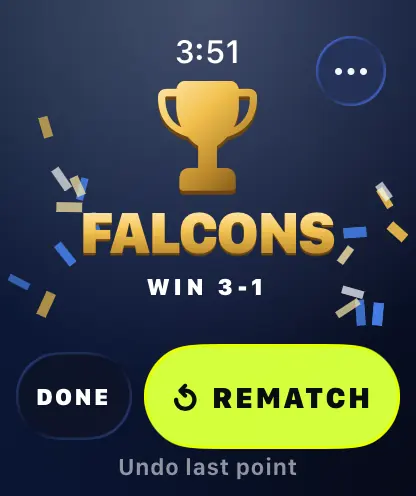
- When the game ends the watch shows the result, with Rematch one tap away.
Clock sports, baseball and players
- Clock sports: a bar at the bottom of the board shows the period and the clock, with a button to start and stop it. The Menu adds END and SET CLOCK. A break card appears between periods with a button to start the next one.
- Baseball and softball: only the side at bat can score. The inning bar opens the pitch pad.
- Players: in count up and first to, tap a row for a point and hold for -1 and bigger amounts. In golf and card games, use the Digital Crown to enter a score.
- Darts is view only on the watch: you see the thrower, the score left and the checkout, but you score on the iPhone.
Stay in step with the iPhone
- The iPhone and the watch score the same game and keep each other up to date. Either can score. A game started, renamed or ended on one does the same on the other.
- If they lose touch, each keeps scoring and they catch up later.
Keep the board up
- With Always On, the board dims when you lower your wrist but stays readable.
- To come back to the board after the watch goes to sleep, open Settings, then General, then Return to Clock, then Scoreboard, and turn on Return to App. Your game is saved after every point either way.
Good to know
- Scoreboard Live does not use Apple Health and does not start a workout.
- Watch complications show the game in progress or your last result. Tap one to open the board.
Needs the unlock
This is part of Scoreboard Unlock: one purchase, $3.99 once in the US (your local price elsewhere), that opens every sport, 2 to 8 players, Apple Watch scoring, team names and colours and your full history. No subscription, and Family Sharing is included. See what the unlock includes.